As a supplier of 8×25MM Golf Rangefinders, I understand the frustration when your device isn't working as expected. A malfunctioning rangefinder can disrupt your game and leave you feeling lost on the course. In this blog, I'll guide you through a series of troubleshooting steps to get your 8×25MM Golf Rangefinder back in action.


1. Check the Power Source
The first and most basic step in troubleshooting any electronic device is to check the power source. A dead or weak battery is often the culprit behind a non - functioning rangefinder.
- Battery Installation: Ensure that the batteries are inserted correctly. Check the polarity markings inside the battery compartment and match them with the markings on the batteries. Incorrect battery installation can prevent the device from powering on.
- Battery Condition: Examine the batteries for signs of corrosion or damage. If the batteries are corroded, carefully clean the battery compartment using a cotton swab dipped in vinegar or lemon juice. Replace the corroded batteries with fresh ones.
- Battery Life: If the batteries are new but the rangefinder still doesn't work, the battery life might be a problem. Some rangefinders have a low - battery indicator. If this indicator is on, replace the batteries immediately.
2. Inspect the Optics
The optics of the rangefinder are crucial for accurate measurements. Any issues with the lenses can lead to blurry images or inaccurate readings.
- Lens Cleanliness: Use a soft, lint - free cloth to clean the lenses. Avoid using abrasive materials that can scratch the lenses. If there are stubborn smudges, you can use a lens cleaning solution specifically designed for optical devices.
- Lens Damage: Check the lenses for cracks or chips. Even a small crack can significantly affect the performance of the rangefinder. If you find any damage, it's best to contact the manufacturer for a replacement lens.
- Focus Adjustment: Make sure the focus of the rangefinder is properly adjusted. Most 8×25MM Golf Rangefinders have a focus wheel. Rotate the wheel slowly until the target appears sharp and clear.
3. Test the Functionality Buttons
The buttons on the rangefinder are used to control various functions such as power on/off, measurement mode selection, and slope compensation.
- Button Responsiveness: Press each button on the rangefinder and check if it responds. If a button is unresponsive, it might be stuck or damaged. Gently clean the button area with a small brush to remove any debris that might be causing the problem.
- Functionality Testing: Test each function of the rangefinder. For example, switch between different measurement modes and see if the readings change accordingly. If a particular function doesn't work, there might be an internal issue with the rangefinder.
4. Check for Software or Firmware Issues
Some modern 8×25MM Golf Rangefinders have software or firmware that can be updated. Outdated software can cause malfunctions.
- Manufacturer's Website: Visit the manufacturer's website to check if there are any available software or firmware updates for your rangefinder model. Follow the instructions provided on the website to download and install the updates.
- Reset the Rangefinder: If the software issue persists, you can try resetting the rangefinder to its factory settings. Refer to the user manual for instructions on how to perform a reset. Keep in mind that resetting the rangefinder will erase any custom settings you have made.
5. Evaluate the Environmental Factors
The performance of the rangefinder can be affected by environmental conditions.
- Weather Conditions: Extreme weather conditions such as heavy rain, fog, or bright sunlight can make it difficult for the rangefinder to take accurate measurements. If possible, wait for better weather conditions to test the rangefinder again.
- Interference: Electronic interference from other devices can also cause problems. Keep the rangefinder away from other electronic devices such as mobile phones, GPS devices, or wireless headphones when using it.
6. Seek Professional Help
If you've tried all the above steps and the rangefinder still doesn't work, it's time to seek professional help.
- Manufacturer's Support: Contact the manufacturer's customer support team. Provide them with detailed information about the problem, including the troubleshooting steps you've already taken. They can offer further assistance or arrange for a repair or replacement.
- Authorized Service Center: You can also take the rangefinder to an authorized service center. The technicians at the service center have the expertise and tools to diagnose and fix complex problems.
Our Product Range
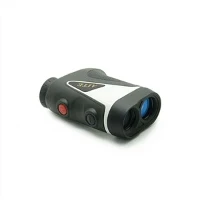
We offer a wide range of high - quality 8×25MM Golf Rangefinders with various features. For example, our Ergonomic Design Golf Rangefinder is designed for maximum comfort during use. It has a lightweight and ergonomic body that fits perfectly in your hand.
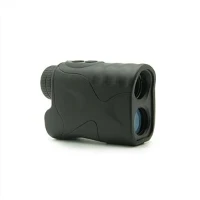
Our Quick Shot Slope Compensation Golf Rangefinder is ideal for golfers who need quick and accurate measurements. It features slope compensation technology that adjusts the distance measurement based on the elevation of the target.
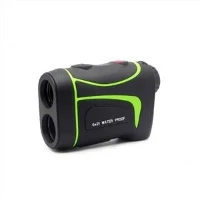
The Flag Lock Technology Scan Measurement Golf Rangefinder uses advanced flag lock technology to lock onto the flagstick quickly and accurately. It also has a scan measurement mode that allows you to continuously measure distances as you scan the course.
Contact Us for Purchase and Consultation
If you're experiencing problems with your 8×25MM Golf Rangefinder or are interested in purchasing a new one, feel free to contact us. Our team of experts is always ready to assist you with any questions or concerns you may have. We can provide you with detailed product information, help you choose the right rangefinder for your needs, and offer professional troubleshooting advice.
References
- Golf Rangefinder User Manuals
- Manufacturer's Technical Support Documentation
- Online Resources on Golf Rangefinder Maintenance and Troubleshooting