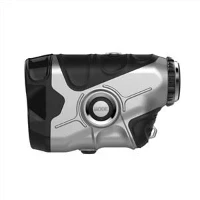
As a supplier of the 600M Eye Safe Camo Golf Rangefinder, I understand the frustration that comes with a malfunctioning device. A golf rangefinder is an essential tool for golfers, providing accurate distance measurements to help improve their game. When it malfunctions, it can disrupt your golfing experience. In this blog post, I'll guide you through the troubleshooting process for the 600M Eye Safe Camo Golf Rangefinder, helping you get it back in working order.
1. Initial Checks
Before diving into complex troubleshooting steps, it's important to perform some basic checks. These simple steps can often resolve common issues without the need for further intervention.
Battery Check
The first thing to do is check the battery. A low or dead battery can cause the rangefinder to malfunction. Remove the battery cover and inspect the batteries. Ensure they are properly inserted with the correct polarity. If the batteries are old or depleted, replace them with new ones. It's recommended to use high - quality alkaline batteries for optimal performance.
Physical Inspection
Examine the rangefinder for any visible damage. Look for cracks, scratches, or dents on the body of the device. Check the lens for any smudges, dirt, or debris. A dirty lens can affect the accuracy of the rangefinder. Use a soft, clean cloth to gently wipe the lens. Avoid using abrasive materials that could scratch the lens.
Button Functionality
Test all the buttons on the rangefinder. Press each button to see if it responds correctly. If a button is stuck or not working, try cleaning it with a can of compressed air. Hold the can upright and spray a short burst of air around the button to remove any dust or debris that may be causing the issue.
2. Alignment and Focus Issues
If the rangefinder is not providing accurate readings, alignment and focus could be the problem.
Alignment
Make sure the rangefinder is held straight and level when taking a measurement. An improper alignment can lead to inaccurate distance readings. To check the alignment, find a stationary target at a known distance. Take a measurement and compare it with the actual distance. If there is a significant difference, try adjusting the angle of the rangefinder until you get an accurate reading.
Focus Adjustment
Most golf rangefinders have a focus adjustment feature. Look through the viewfinder and adjust the focus ring until the target appears sharp and clear. If the focus is off, the rangefinder may not be able to accurately measure the distance. Take your time to fine - tune the focus for the best results.
3. Software and Settings
The software and settings of the rangefinder can also cause malfunctions.
Resetting the Rangefinder
If you've tried all the above steps and the rangefinder is still not working properly, you can try resetting it to its factory settings. Refer to the user manual for the specific steps to reset your 600M Eye Safe Camo Golf Rangefinder. A reset can often resolve software glitches and restore the device to normal operation.


Mode Selection
Check the mode settings on the rangefinder. Some rangefinders have different modes for different types of measurements, such as slope mode and non - slope mode. Make sure you are using the appropriate mode for your needs. For example, if you are playing on a course where slope measurements are not allowed, switch to the non - slope mode.
4. Connectivity and Compatibility
If your rangefinder has Bluetooth or other connectivity features, connectivity issues can cause problems.
Bluetooth Connection
If the rangefinder is supposed to connect to a smartphone or other device via Bluetooth, make sure the Bluetooth function on both devices is turned on. Check if the rangefinder is in pairing mode. Follow the instructions in the user manual to pair the rangefinder with your device. If the connection fails, try restarting both the rangefinder and the paired device.
Compatibility
Ensure that your rangefinder is compatible with the device you are trying to connect it to. Check the manufacturer's website for a list of compatible devices. Using an incompatible device can lead to connectivity issues and malfunctioning of the rangefinder.
5. Advanced Troubleshooting
If the above steps do not resolve the issue, it may be a more serious problem that requires professional assistance.
Contacting Technical Support
As a supplier, we offer technical support for our 600M Eye Safe Camo Golf Rangefinder. You can reach out to our support team with a detailed description of the problem, including the steps you've already taken to troubleshoot. Our experts will be able to provide further guidance and may be able to resolve the issue remotely or recommend a repair service.
Repair or Replacement
In some cases, the rangefinder may be damaged beyond repair. If this is the case, we offer repair and replacement services. Our team will assess the damage and determine the best course of action. If the rangefinder is still under warranty, the repair or replacement may be covered.
Related Products
If you are interested in other high - quality golf rangefinders, we also offer a range of products, such as the High - precision Rangefinder, the 600M Waterproof Slope Golf Rangefinder, and the Golf Laser Distance Finder. These products are designed to meet the needs of different golfers and provide accurate distance measurements.
Conclusion
Troubleshooting a malfunctioning 600M Eye Safe Camo Golf Rangefinder can seem daunting, but by following these steps, you can often resolve the issue on your own. Remember to start with the basic checks, such as battery and physical inspection, and then move on to more complex troubleshooting steps if necessary. If you are still unable to fix the problem, don't hesitate to contact our technical support team.
If you are interested in purchasing our golf rangefinders or have any questions about our products, please feel free to reach out to us for a procurement discussion. We are committed to providing high - quality products and excellent customer service.
References
- User manual of 600M Eye Safe Camo Golf Rangefinder
- Technical documentation provided by the manufacturer